
Queue management system for clinics and hospitals
A private clinic or hospital combines several services, reception areas and waiting rooms. Tebeasy structures tickets, calls and destinations on a local architecture defined after reviewing the actual workflow.
Multiple services and ticket points
Patients can receive tickets from one or several project-defined points. Each kiosk displays only the services relevant to its area.
Queues are organised by service, specialty, office or approved journey.
Workstations and displays for each area
Doctors and staff call from authorised workstations. One screen may combine several offices while separate waiting rooms can use their own displays.
A secretary or supervision workstation retains the planned operational view.
Local RJ45 or wireless architecture
SQL Server, workstations, kiosks and screens communicate over the internal network. RJ45 is preferred where cabling is available; access points or repeaters are reviewed where the building requires wireless links.
Daily operation does not depend on Internet access while the local network remains operational.
Technical visit before quotation
Services, kiosks, rooms, workstations, displays and transfer paths must be mapped before proposing a configuration. The visit also checks existing equipment, power and network routes.
Special workflows receive a feasibility review before quotation.
Configuration example
One shared waiting room for several doctors
Situation
A medical centre brings several doctors and specialties together around one reception area.
Need
Separate queues while retaining central supervision.
Typical configuration
- • Complete kiosk
- • Doctor or specialty selection
- • Several doctor workstations
- • Secretary supervision
- • Central display
- • RJ45 or access-point network
Illustrative workflow
- 1.Patient selects a specialty
- 2.Ticket joins the matching queue
- 3.Secretary supervises queues
- 4.Doctor calls from the workstation
- 5.Patient is directed to the correct office
- 6.Patient can be transferred when required
Expected operational benefits
- • Clear specialty queues
- • Shared supervision
- • Consistent office orientation
This scenario illustrates one possible configuration. It is not a customer testimonial.
Tebeasy in operation
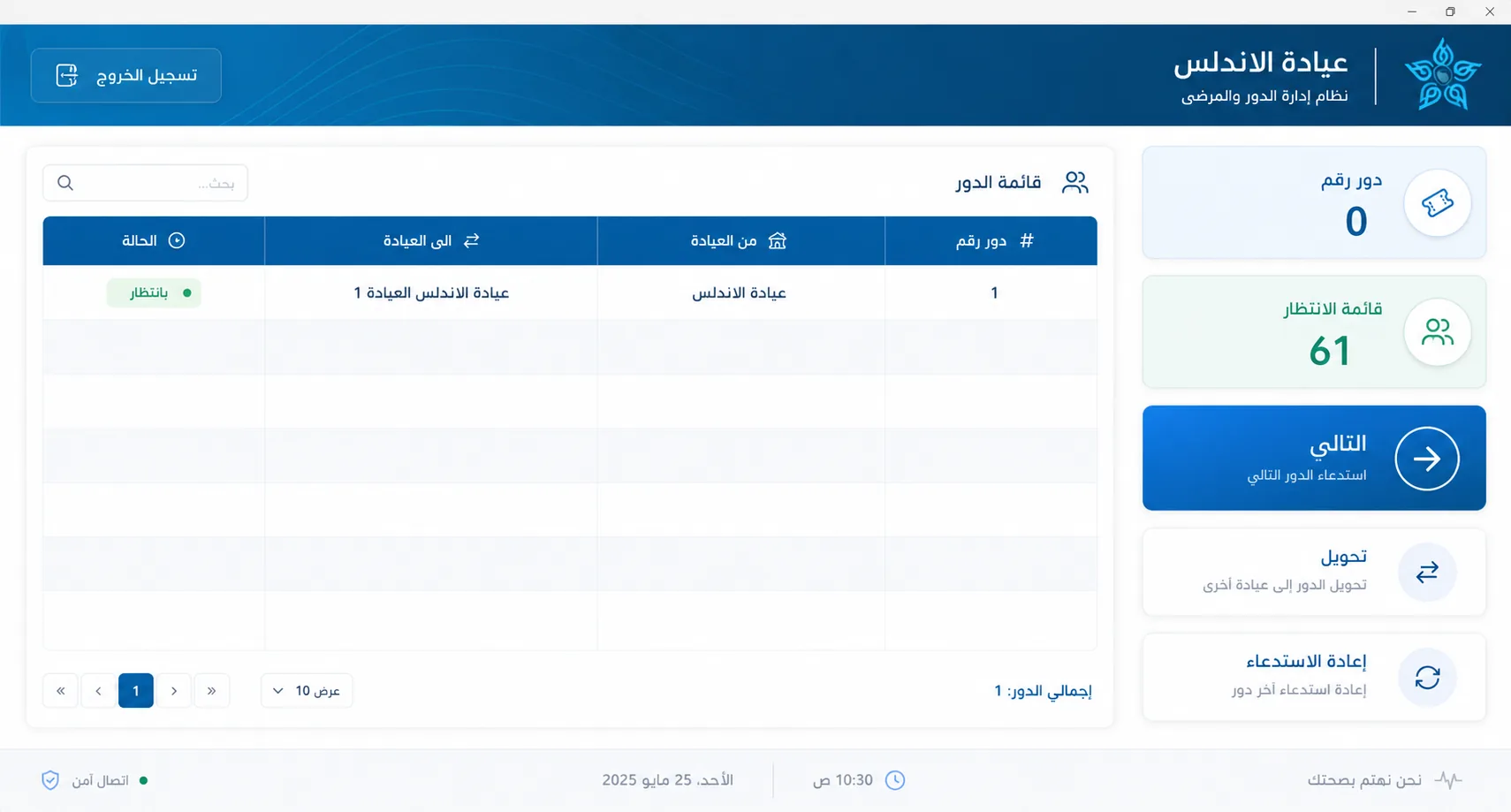
Screenshot supplied from the supervision interface. Queues and permissions vary by configuration.
Request a demonstrationFrequently asked questions
Can several kiosks be installed?
Yes, where multiple entrances or areas justify them after review.
Can each waiting room have a display?
Yes. Displays are assigned according to the calls required in each area.
Is a technical visit required?
An on-site survey in Morocco is recommended for multi-service, multi-room configurations.